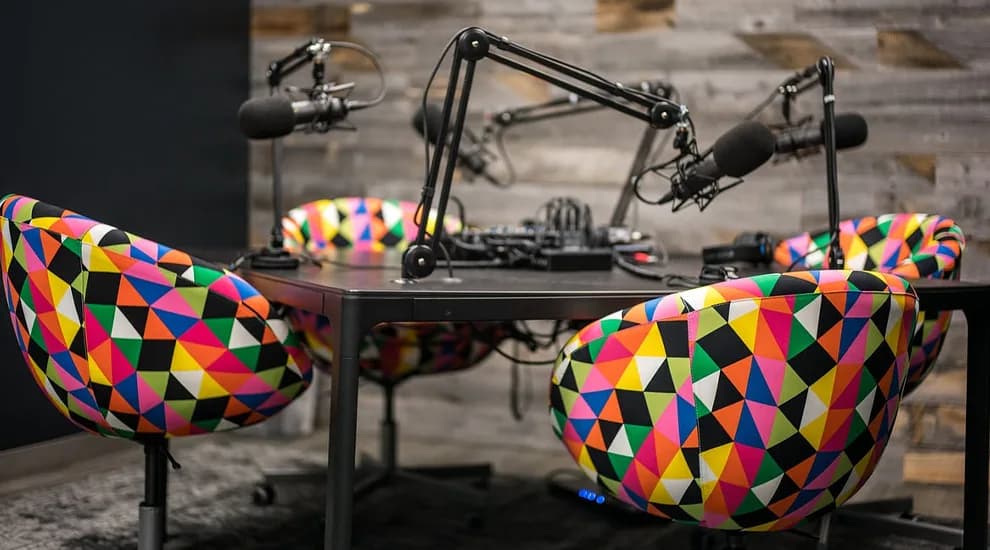

Online shoppers use product photographs to judge qualities they would normally examine in person, so a useful image must explain the item as convincingly as it presents the brand. For a textured material, arrange the light so the surface remains readable; a fitted lid needs an angle that explains its relationship with the container. Brands commissioning e-commerce photography in Dubai need to describe those purchasing questions alongside the desired appearance.
Someone's Studio approaches commercial photography through the brand's identity and the message the image needs to communicate to its audience. On a product detail page, creative direction influences the background and the camera's relationship with the object. Customers need to recognize the finish they are ordering and distinguish it from another available variant.
Assign a Purpose to the Main Image
The main product photograph needs sufficient separation between the object and the background for a shopper to identify the item at the smaller size used in a catalog grid. Test the proposed composition within the actual website layout. Within a catalog tile, a narrow bottle occupies the available area differently from a broad platter. Maintain an appropriate visual scale across related products, then allow sufficient space for the retailer's crop.
For Google Shopping placements, the submitted main image has its own requirements concerning the product being sold and promotional additions. Google's product image guidance specifies an accurate view of the product and sets restrictions on overlays. Plan a clean commerce image separately from an advertising composition with campaign copy. The customer-facing product page may then carry supporting views suited to its own layout.
For an illustrative bag listing in which the retailer sells an optional shoulder strap separately, the main photograph needs to clearly identify the bag being purchased. Beside a supporting image showing the strap attached, the description can identify the separate purchase. Product presentation needs agreement between the merchandise team and the photographer, particularly where an accessory appears naturally beside the item for sale.
Shape the Light around the Material
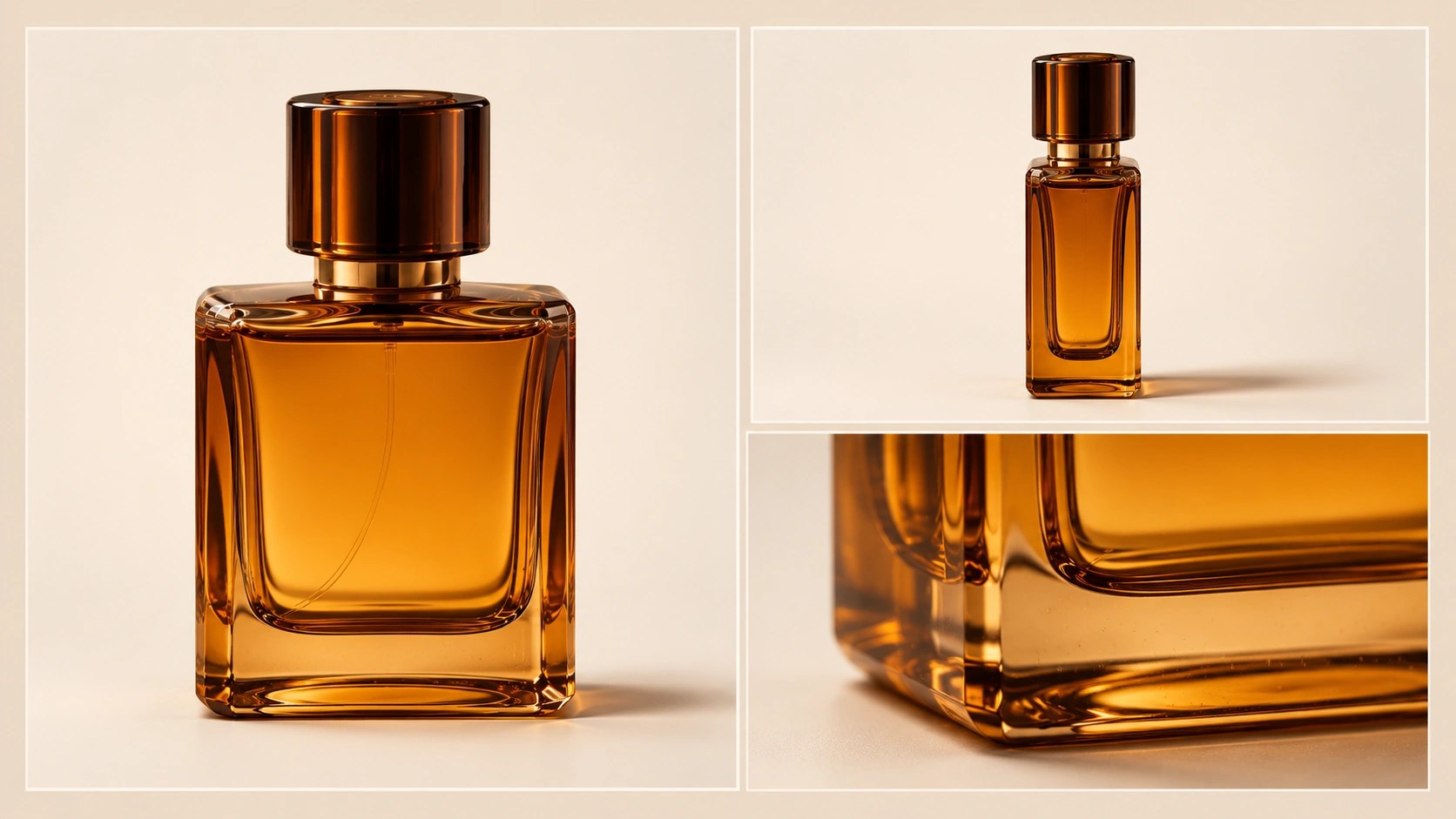
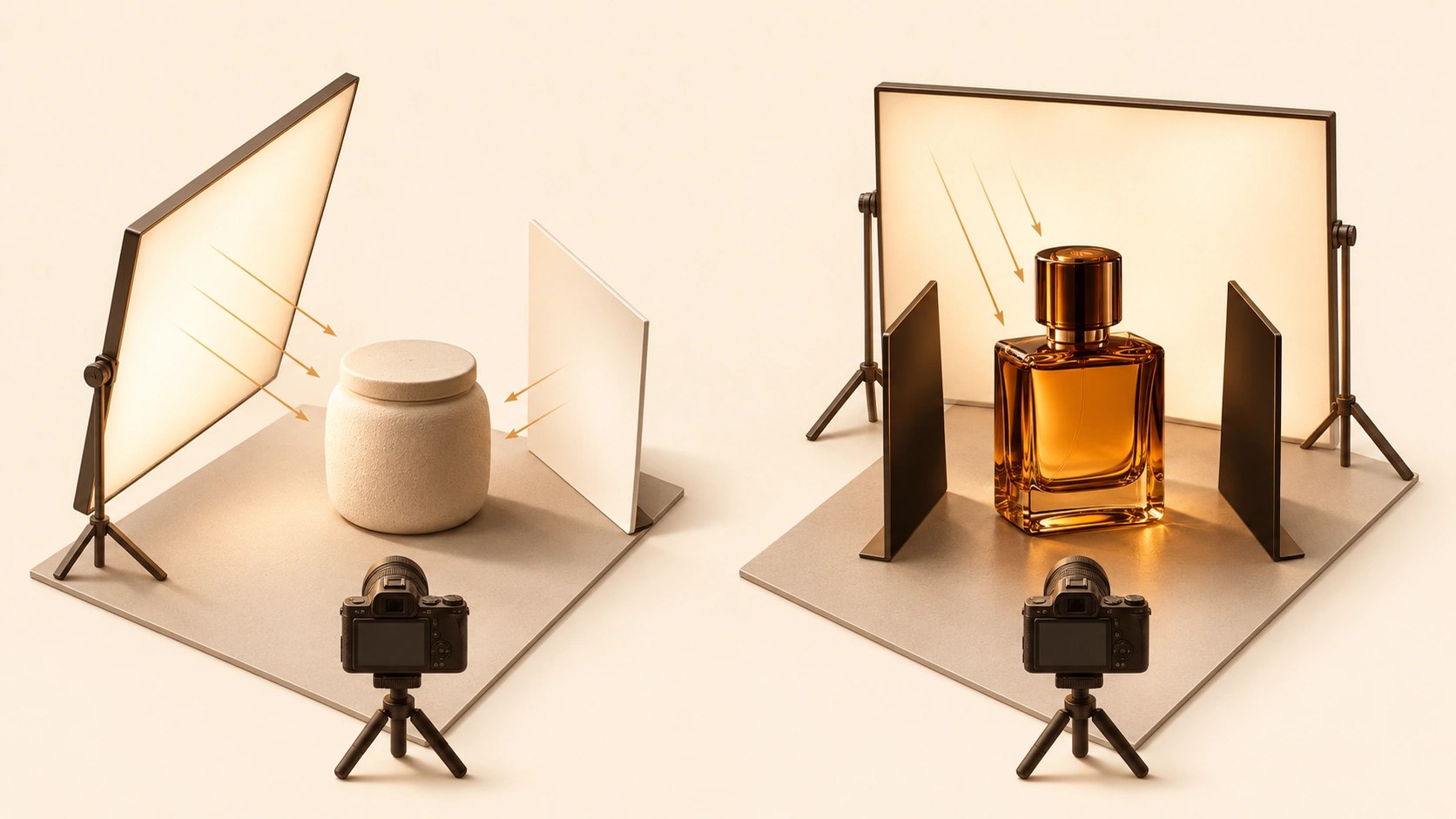
When a photographic test compares different surfaces, use the planned product-page angle to assess how the chosen light describes the actual finish. In Adobe's product-photography guidance, diffused light provides more even illumination. For matte packaging, retain enough directional shadow to describe the object's shape. If the label looks pale, examine the light's position relative to the printed surface. More brightness may reduce the label's legibility.
Glossy metal records its surroundings in visible reflections, so nearby surfaces affect the product's appearance even when they remain outside the photograph's composition. Along a curved body, a diffusion panel can create a broad pale reflection. Profoto's e-commerce photography tutorial demonstrates the use of white cards for reflections and black cards for edge definition. For the actual product, test the cards at different positions until the object retains a believable curve and its engraved detail remains readable.
Transparent glass requires a separate test to determine whether its edges remain distinguishable from the background in both transmitted light and reflections. Place a representative glass item in the proposed setup and inspect the rim at the intended delivery size. If the edge disappears, revise the surrounding light or background tone. Preserve enough information for the shopper to recognize the wall thickness visible in the real sample.
Textured fabric needs a photographic test in which the thread pattern remains readable at the size customers will examine on the product page. To make surface detail more apparent, Adobe's texture-photography guidance emphasizes side illumination. Judge the result against the sample, especially when pronounced shadows suggest a coarser texture than the material actually has. Genuine irregularities belong in the final photograph when customers will encounter them in the purchased fabric.
Keep the Catalog Comparable
Related products become difficult to compare when camera height or apparent size changes between photographs, even when the individual images look attractive in isolation. Fix the camera's position for the main catalog view and record the chosen product placement. Two neighboring items displayed in the website's grid provide a useful test of their relative proportions.
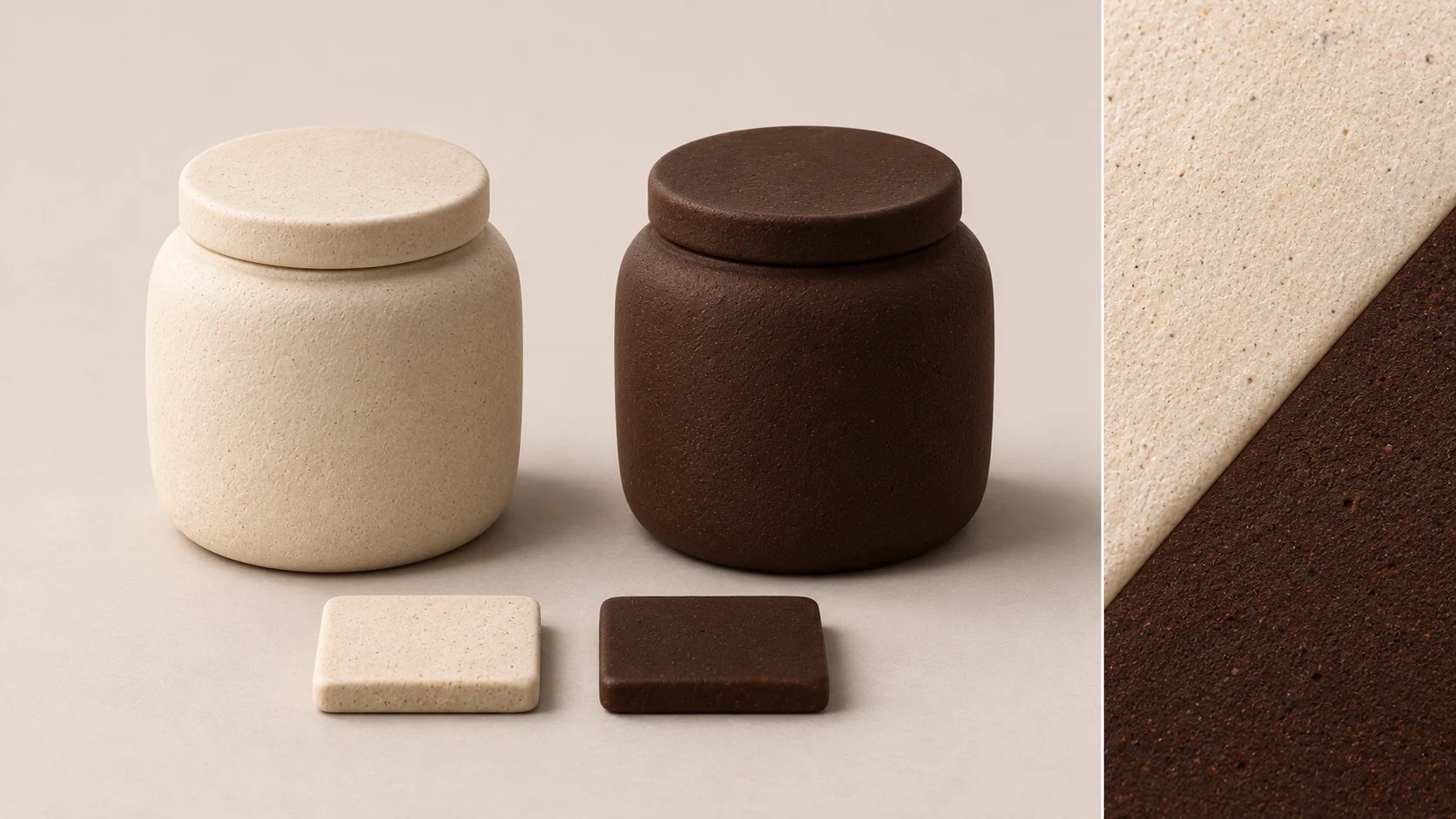
Color variants need their own identifiable samples so the delivered photographs correspond to the options customers can select on the product page. Photograph the available finishes in the same agreed conditions, then review their relative appearance together. Where the real products differ, a warm gray and a cool gray deserve a visible distinction. Specify the required relationship in the retouching directions for the image set.
Adobe's photographic color-management guidance explains how monitor profiles and export color spaces affect the way a photograph appears across different devices. Ask the retoucher to specify the destination's required delivery profile. For the review, compare the exported files on the agreed display with the available physical reference. Customer displays will still vary, so approval needs a stated viewing basis.

Use Supporting Views to Answer Product Questions
The supporting photographs need to explain something the main view leaves uncertain, such as a fastening's construction or the interior compartment inside a bag. Choose the camera angle around the feature the customer needs to inspect. Decorative stitching may justify a close crop for one product. For another, the opening deserves more space so the viewer can judge its shape.
Scale photographs work best when the comparison object provides a familiar reference, and the camera position preserves a believable relationship between the two objects. For an illustrative desk-organizer shoot, a standard pencil can make the use of a compartment easier to read. Keep product dimensions in the accompanying description, since perspective affects apparent size when the reference object lies much closer to the lens.
If a photograph needs several distances to appear sharp, discuss the required depth of field with the photographer during the sample test. For a long product photographed at close range, the photographer may propose a different camera angle or an image assembled from several exposures. Review fine edges in the finished result. The accepted file needs to provide continuous detail throughout the specific features customers are meant to examine.
Retouch Temporary Distractions and Preserve the Product
For close photographs depicting natural or handmade materials, the retouching brief needs to distinguish temporary dust from the permanent characteristics visible in the physical product. Remove loose dust that obscures the object, then compare the cleaned image with the buyer's actual grain pattern. For a product with expected variation between units, the merchandise description can explain the variation alongside representative photography.
Surface cleanup warrants comparison with the physical sample when a bright reflection obscures printed information or a small assembly detail. Ask the retoucher to refine the distraction while preserving the actual geometry. Altered seams or openings would describe a different object. Review the finished image against the product's construction, with a close inspection around edges after background removal.
Prepare Files for the Actual Commerce Channel
Delivery specifications need to identify the receiving channel, since a website's product gallery and a shopping feed can accept different formats or apply different crops. Keep a high-resolution photographic master, then prepare the approved derivatives for the receiving channel. For Google Merchant Center, check its accepted file types against the proposed exports. The web gallery and the shopping feed need files compatible with their respective requirements.
Google's announced image-size change raises the minimum size for main and supplementary product images to 500 by 500 pixels, effective January 31, 2027. For higher-quality source images, its main-image specification recommends a minimum size of 1500 by 1500 pixels. Reserve sufficient source resolution for the approaching requirement when planning production during November 2026. Once the final destinations are confirmed, review their current specifications during file preparation. Enlargement after delivery can leave fine lettering visibly soft.
Google Search Central's image guidance recommends short, descriptive filenames and useful, image-specific alt text that relates to the content on the product page. Include product identifiers in filenames so the web team can associate images with the correct variant. For alternative text, describe the visible product using its actual features and relevant variant information.
Compression needs a visual check at the actual display size, particularly where fine type or fabric detail makes damage easy to see. Compare the original export with the proposed web file in the product page's zoom view, then examine the background transition around the object. The website team can then assess page performance using the delivered image sizes, with the approved visual detail available for comparison.
Discuss the Product Page with Someone's Studio
Clients requesting e-commerce photography can share representative products and the pages where the finished images will appear, so the studio can discuss treatment within a concrete production scope. Share the proposed main view alongside the features needing supporting photographs. If the catalog contains different materials, identify a sample from the most demanding group. The production discussion can then address the light tests and retouching work relevant to those objects.
For commercial images planned around a product's character and its audience, discuss the photography commission through Someone's Studio's contact page. The team can assess the appropriate photography support and discuss a delivery specification for the actual commission.